

Friday, October 30, 2009

Boo! Friday

Journal: 31

What is the best costume you have ever worn? Would you where it again? why or why not? What is the best costume you ever seen? The worst?


Classwork:
I will grade on Tuesday.
Task: 1
Finish word assignments 10-18

Task: 3
Start on word assignments 19

Task: 4
Work on Microtype.


Wednesday, October 28, 2009

Thursday 10/29

Journal: 30

Read this <article>

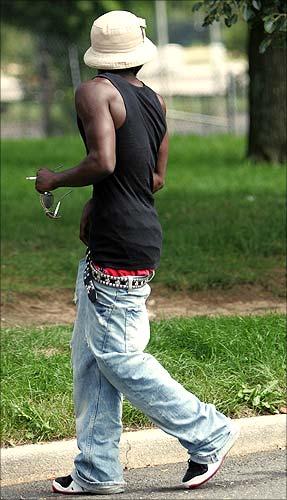
- Summarize it and write your opinion on it. What do you think is indecent? Does it depend on the occasion?


Classwork:
I will grade on Friday.
Task: 1
Finish word assignments 10-17

Task: 3
Start on word assignments 18 & 19

Task: 4
Work on Microtype.


Wed 10/28

Journal: 29

Read this <article>

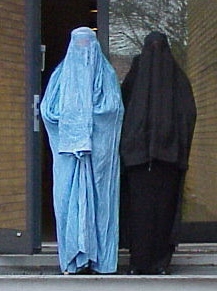
- Summarize it and write your opinion on it. What do you think is appropriate or inappropriate? Does it depend on the occasion?


Classwork:
I will grade on Wednesday.
Task: 1
Finish word assignments 5-16

Task: 3
Start on word assignments 17 & 18

Task: 4
Work on Microtype.


Tuesday, October 27, 2009

Tuesday 10/27

Journal: 28
Read this <article> and answer the following questions;
Give a reason for the answer.
  1. At home:
    1. Stay inside
    2. Go out to the street
  2. In bed:
    1. Stand by a window to see what is happening
    2. Stay in bed and protect your head with a pillow
  3. In any building:
    1. Stand in a doorway
    2. Crouch in an inside corner away from the exterior wall
  4. On the upper floor of an apartment building:
    1. Take the elevator to the ground floor as quickly as possible
    2. Stay in an interior room under a desk or table
  5. Outdoors:
    1. Run into the nearest building
    2. Stay outside away from buildings
  6. Driving a car:
    1. Stop the car in an open area
    2. Stop the car under an overpass


Classwork:
I will grade on Wednesday.
Task: 1
Finish word assignments 5-15

Task: 3
Start on word assignments 16 & 17

Task: 4
Work on Microtype.


Monday, October 26, 2009

Monday 10/26

Journal: 27
Describe how your day would be without any electronic devices, No cell phones, ipods, or computers. What about microwave ovens or even electricity.
Click on the image below to see more info..


Classwork:
Task: 1
Finish word assignments 5-14

Task: 3
Start on word assignments 15 & 16

Task: 4
Work on Microtype.


Friday, October 23, 2009

Friday 10/23

Journal: 26
Create a "Top 10 List" of anything that interests you. Give it a title, for example. . .
"Sarah's Top Ten CD's" Also give a reason for each, why they are in the top ten?


Classwork:
Task: 1
Finish word assignments 1-13

Task: 3
Start on word assignments 14

Task: 4
Work on Microtype.


Thursday, October 22, 2009

Journal: 25
What is the one thing in your life that you can't live without?


Classwork:
Task: 1
Finish word assignments 1-12

Task: 2
email me your class notes.
Dont forget to include your 1st, last name and BLK # in the subject line.
Also please add a heading to your notes.
rww2307@gaggle.net

Task: 3
Start on word assignments 13

Task: 4
Open lessons 1-5. And minimize them.
Don't forget to add a heading and title on all lessons.


Wednesday, October 21, 2009

Wed 10/20

Journal: 24

Read this <article>

- Summarize it and write your opinion on it.


Classwork:
Task: 1
Finish Word Lessons 1-11

Task: 2
For lesson 12 follow the these instructions:
On your desk top find the folder named SEHS Class assignments.
Click on it and find Medinilla's folder.
Open it and do the exercise 12

Task: 3
Be ready to be graded on lessons 1-5

Task: 4
Work on microtype


Tuesday, October 20, 2009

Tuesday 10/20

Journal: 23

You've accidentally dialed the wrong phone number, but the person who answers sounds familiar. Immediately he/she recognizes you, but because you made the call you're too embarrassed to ask who it is. Using only dialogue, figure out who the person is.


Classwork:
Task: 1
Finish Word Lessons 1-10

Task: 2
For lesson 11 follow the these instructions:
Click <here and read this first> then do lesson 11
You dont have to download anything just READ.
On your desk top find the folder named SEHS Class assignments.
Click on it and find Medinilla's folder.
Open it and do the exercise 11

Task: 3
Study your class notes exam is today

Task: 4
Work on microtype


Monday, October 19, 2009

Monday 10/19

Journal: 22

It is sad that coming back to our classroom i find it in the condition l did. Gum wrappers and trash on the floor and desks. Chairs and keyboards scattered about :(


Read the following story summarize it and write your opinion on your blog. Your entry should be at least two paragraphs. < Story >


Classwork:
Task: 1
Place work sheet on front table.

Task: 2
For lesson 8, 9, 10 follow the these instructions:
On your desk top find the folder named SEHS Class assignments.
Click on it and find Medinilla's folder.
Open it and do the exercises 8,9,and 10.

Task: 3
Open lessons 1-7 and minimize them so they are ready to be graded.

Task: 4
Work on microtype


Wednesday, October 14, 2009

Thursday 0ct. 15

Journal: 21

Finish the story.

It was a cold and rainy day and i had to walk home from school.


Classwork:
Task: 1
Finish Typing your class notes. Nerds/lifting the lid.
Use google if necessary.
Add the questions to class notes. (see below)
Task: 2
Finish worksheet intro to computers.

Task: 3
Start on word lesson 4.

Read instructions do the exercises and save them to [word] folder as lesson4.doc
Don't forget to Give it a proper heading.

<Click Here> for instructions
Task: 4
Start on word lesson 5.

Read instructions do the exercises and save them to [word] folder as lesson5.doc
Don't forget to Give it a proper heading.

<Click Here> for instructions

Task: 5
Start on word lesson 6.

Read instructions do the exercises and save them to [word] folder as lesson6.doc
Don't forget to Give it a proper heading.

<Click Here> for instructions

Task: 6
Start on word lesson 7.

Read instructions do the exercises and save them to [word] folder as lesson7.doc
Don't forget to Give it a proper heading.

<Click Here> for instructions

Task: 7

Work on microtype


Wed 10/14

Journal: 20

Finish this story.

Dan and Kim loved their computer. Their parents had gotten it for them a couple of months ago, and they had taught their kids how to use it. They bought some computer games for the kids to play and connected them to the Internet. The kids loved going on the Internet and visiting web sites. They got to do research for their homework, play games, print coloring pages, and read stories. They also got to e-mail their friends and even chat with other kids, after getting their parents permission.

Because the kids liked the Internet so much, they would finish their homework, then go surf the web. Very often, they didn't feel the passage of time and found themselves almost falling asleep in front of the computer screen.

One day they stayed up late surfing the web after they were done with their homework. After a while they started getting tired and they were almost falling asleep. While they were in the twilight between being asleep and being awake, they felt a strong suction coming from the computer screen. It felt like a huge vacuum cleaner!

By now, they were fully awake and when they looked around but they did not see their living room anymore. Instead, they saw themselves floating in a long tube with speeding chunks of alphabets, numbers, images, and sounds. They were INSIDE the computer! It was their dream come true and they decided to...?


Classwork:
Task: 1
Finish all your work.

Turn in worksheets today.
Task: 2
Add these questions to your class notes.

List in order of what came first. Integrated circuit, Vacuum tube and transistor.

List in order of what came first. Xerox Alto, Windows 95, and Macintosh.

What were punch cards used for in computers?

Compiler translated text into what?

In 1961 Bank of America replaced all its book keepers with?

In binary what is 0010 equal to?


Tuesday, October 13, 2009

Tuesday 10/13

Journal: 19

Do you like the rain? Why? Why not?


Classwork:
Task: 1
Finish all your work.

I will collect worksheets today.

Monday, October 12, 2009

Monday 10/12

Journal: 18

If you could visit anywhere in the world, where would you go? Why? for how long?

Who would you take with you?


Classwork:
Task: 1
Finish Typing your class notes. Nerds/lifting the lid.
Use google if necessary.
Add the questions from friday your to class notes. (see below)
Task: 2
Finish worksheet intro to computers.

Task: 3
Start on word lesson 1.
Create a folder inside your [intro] folder
name it [word] You will save lesson1.doc here.

This lesson does not require much text. Just put a proper heading - Your first and last name, intro and block number, todays date.
<Click Here> for instructions

Once you are done with the lesson (see below) To exit Word:
  1. 1. Click File.
  2. 2. Click Exit, which can be found at the bottom of the drop-down menu.
  3. 3. If you have entered text, you will be prompted: "Do you want to save changes to Document1?" To save your changes, click Yes. Otherwise, click No.
  4. 4. Specify the correct folder in the Save In box.
  5. 5. Name your file by typing lesson1.doc in the File Name field.
  6. 6. Click Save to [word] as lesson1.doc

<Click Here> for rest of the instructions

Task: 4
Start on word lesson 2.
.
This lesson take journal 15 and paste it . Give it a proper heading - Your first and last name, intro and block number, todays date. Then follow the instruxtions
<Click Here> for instructions

Once you are done with the lesson (see below) To exit Word:
  1. 1. Click File.
  2. 2. Click Exit, which can be found at the bottom of the drop-down menu.
  3. 3. If you have entered text, you will be prompted: "Do you want to save changes to Document1?" To save your changes, click Yes. Otherwise, click No.
  4. 4. Specify the [word] folder in the Save In box.
  5. 5. Name your file by typing lesson2.doc in the File Name field.
  6. 6. Click Save.

<Click Here> for rest of the instructions

Task: 5
Start on word lesson 3.

Read instructions do the exercises and save them to [word] folder as lesson3.doc
Don't forget to Give it a proper heading.

<Click Here> for instructions

Task: 4

Work on microtype


Friday, October 09, 2009

Yeah - Friday! 10/9

Journal: 17

My most significant accomplishment to date is. .


Classwork:
Task: 1
Finish Typing your class notes. Nerds/lifting the lid.
Use google if necessary.
Task: 2
Add these questions to your class notes.

List in order the 4 functions of a computer?

Software that assists in preparation and printing of text documents.

Software that Manages and monitors all devices. It is a collection of instructions that enables the user to interact with the computer.

Company or service that allows you to go on the Internet.

Define Network.

A way of sending messages and attachments between computers.

What is GUI?

Temporary memory.

Set of instructions

What is RAM & ROM? Explain the difference.

List the 3 types of programs of instructions(software)

List the two essential program of instructions required on all computers.

System of 0 and 1's

The use of icons to make the operating system user friendly by providing visual clues.

What is the difference between internet and world wide web?

What is a sever?

List the two types of networks.

This classroom is what kind of network?

The internet is what kind of network?

A worldwide collection of networks is what?

In the Fall of 1969 ARPANET connected what two Universities.

What was the first message on the internet?

What is a web browser?

What was the first web browser in 1993?

Uniform Resource Locator is what?

Task: 3
Work on worksheets.
Task: 4
Work on microtype